Replacement Voice Remote Control for Verizon FiOS TV One – Compatible with 2019 MG3-R32140B & VRC4100 BLE
Verizon FiOS TV One용 대체 음성 리모컨 - 2019 MG3-R32140B 및 VRC4100 BLE와 호환됩니다
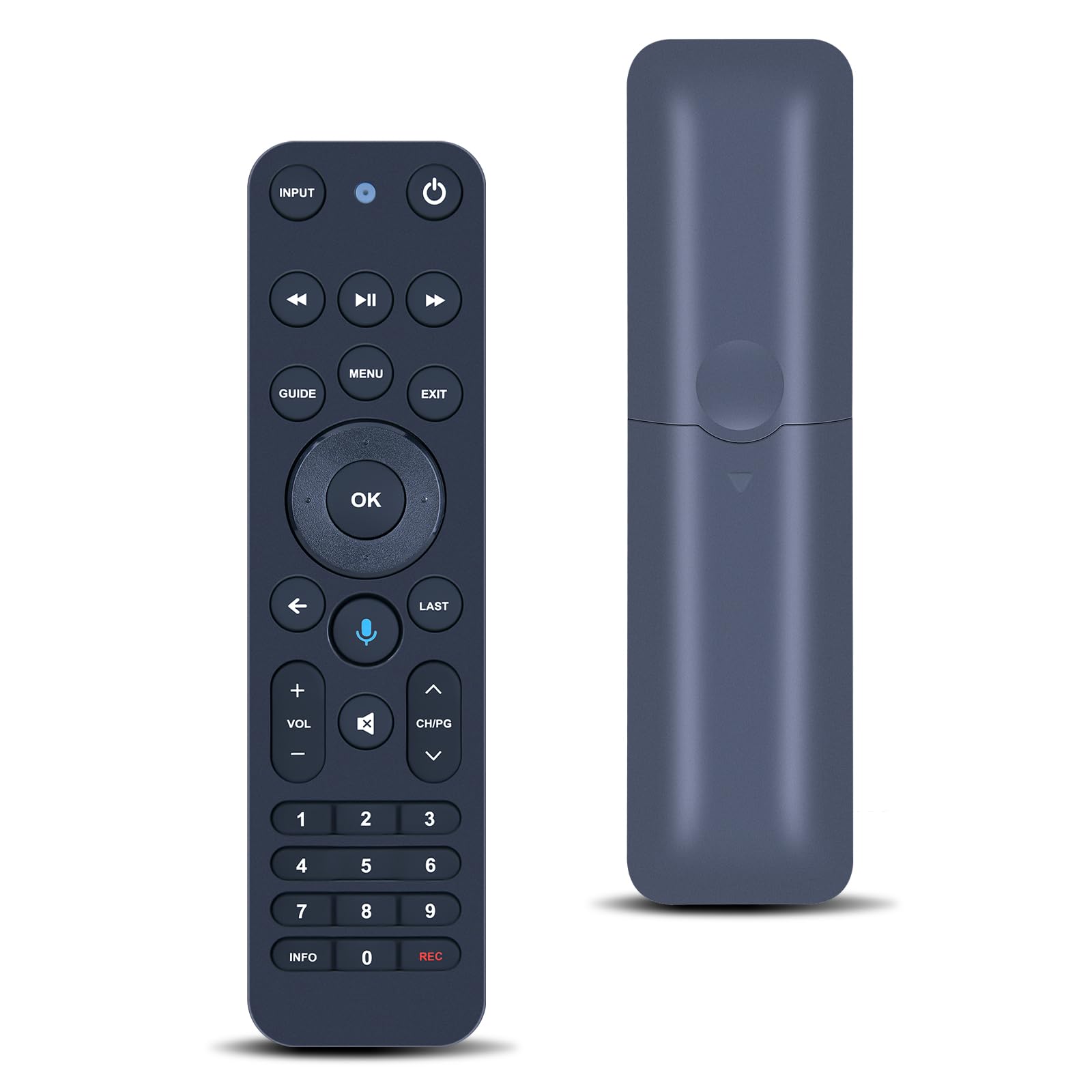
| 상품번호 | B0FZ9FPT78 |
| 상태 | New |
| 브랜드 | MOVHEIYL |
| 판매자 | Learn more about the seller |
| 출고국 | 미국 (US) |
아마존 판매가
$39.99
약 58,945원
구매대행 예상 비용은 로그인 후 확인하실 수 있습니다.
상품 특징
Compatible with Verizon FiOS TV One, works with 2019 models MG3-R32140B & VRC4100 BLE. (NOTE: ✅ Work with Verizon, ❌NOT work Frontier. )
How to Pair:1, Press and hold the [Play/Pause] and [0] buttons at the same time for 3 seconds. 2, Release the buttons when the blue light starts flashing on the remote. 3, When the blue light stops flashing, your voice remote is connected, paired and ready for use
Using your voice remote Control your TV or Audio, Option 1: ①, Go to Menu > Settings > Voice control > Fios TV Voice Remote > Program Voice Remote > Automatic Setup. ②, Once the automatic setup completes you’ll see a “Success” message in the top right of the TV screen. Option 2: ①,Go to Menu > Settings > Voice control > Fios TV Voice Remote > Program Voice Remote > Manual Setup. ②,Select your TV or Receiver Brand and Model and follow the steps. ③,You will see a “Success” message in the top right of the TV screen when the setup is complete
【High Quality】:Made of High Quality ABS material, which is resistant to falling and has no peculiar smell, Built to Last for Long Lasting Use, and also keeps you and your children away from harm.
【Easy to use】:Easy to Pairing or setup, After inserting 2*AA battery (Not included), Simply follow the pairing steps until successful, and it will perfectly replace your original remote
【Premium After-sale】:We provide a 1 year warranty return service. If you have any questions about your order, please feel free to contact us directly and we will get back to you within 12 hours.
How to Pair:1, Press and hold the [Play/Pause] and [0] buttons at the same time for 3 seconds. 2, Release the buttons when the blue light starts flashing on the remote. 3, When the blue light stops flashing, your voice remote is connected, paired and ready for use
Using your voice remote Control your TV or Audio, Option 1: ①, Go to Menu > Settings > Voice control > Fios TV Voice Remote > Program Voice Remote > Automatic Setup. ②, Once the automatic setup completes you’ll see a “Success” message in the top right of the TV screen. Option 2: ①,Go to Menu > Settings > Voice control > Fios TV Voice Remote > Program Voice Remote > Manual Setup. ②,Select your TV or Receiver Brand and Model and follow the steps. ③,You will see a “Success” message in the top right of the TV screen when the setup is complete
【High Quality】:Made of High Quality ABS material, which is resistant to falling and has no peculiar smell, Built to Last for Long Lasting Use, and also keeps you and your children away from harm.
【Easy to use】:Easy to Pairing or setup, After inserting 2*AA battery (Not included), Simply follow the pairing steps until successful, and it will perfectly replace your original remote
【Premium After-sale】:We provide a 1 year warranty return service. If you have any questions about your order, please feel free to contact us directly and we will get back to you within 12 hours.